Your AI Conversations Might Be Training Someone Else's Model
Free versions of ChatGPT, Claude, Grok and Gemini most likely ship with "improve the model for everyone" turned on by default. Here's how to switch it off.
AI machine translation. This English version was translated automatically from the Polish original using AI and has not been reviewed by a human. The Polish version is the original. Read the Polish original
Do you use AI? You are training the model with what you type into it.
Free versions of AI apps usually ship with “improve the model for everyone” switched on by default. You know how it goes: nothing is really free.
How does this work? Companies often train their models on what users type in. In rare cases, a fragment of your text can come back in someone else’s answer.
That is why it matters so much that we never type our own or someone else’s private personal data, or anything else sensitive, into these tools.
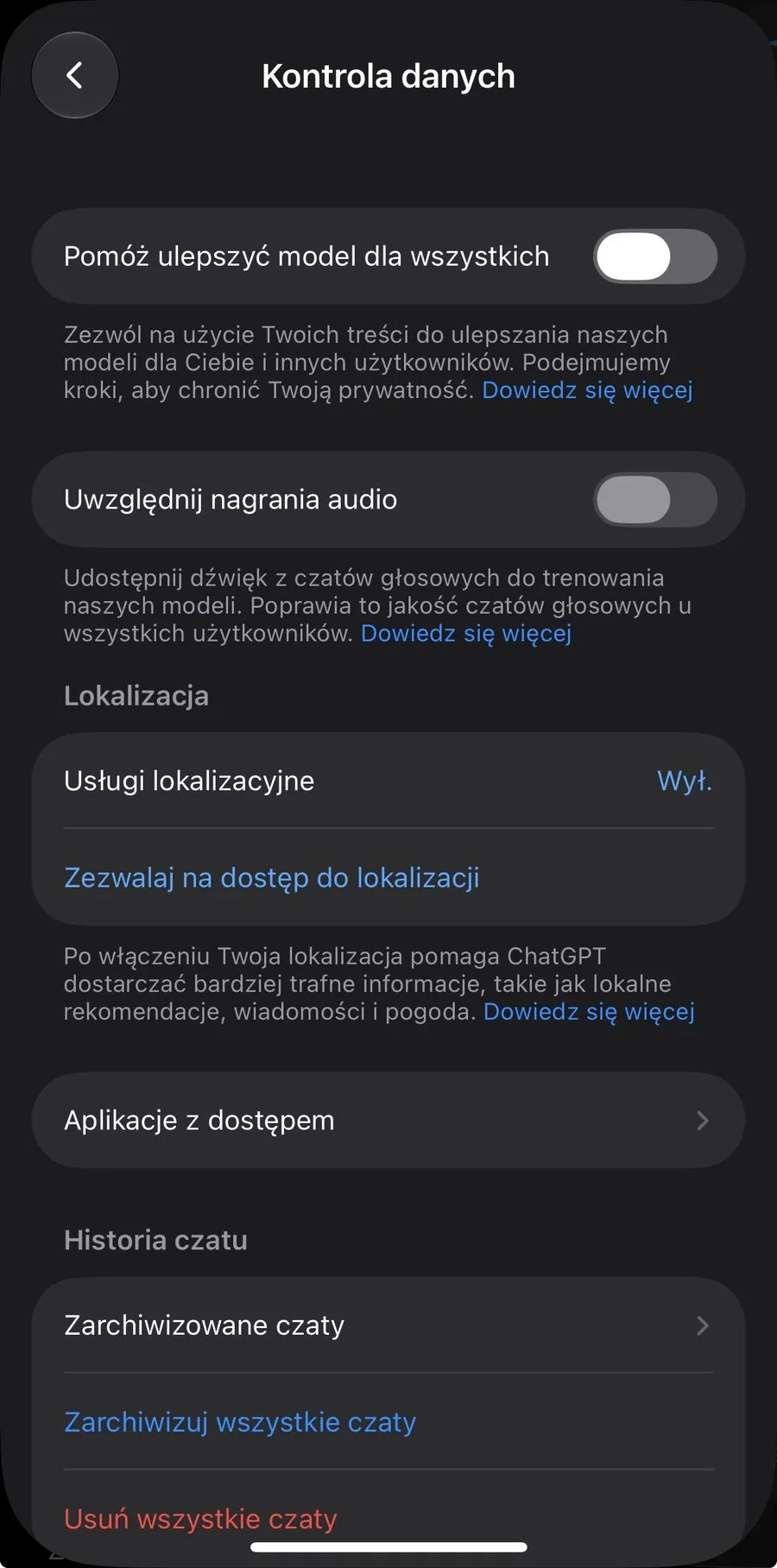
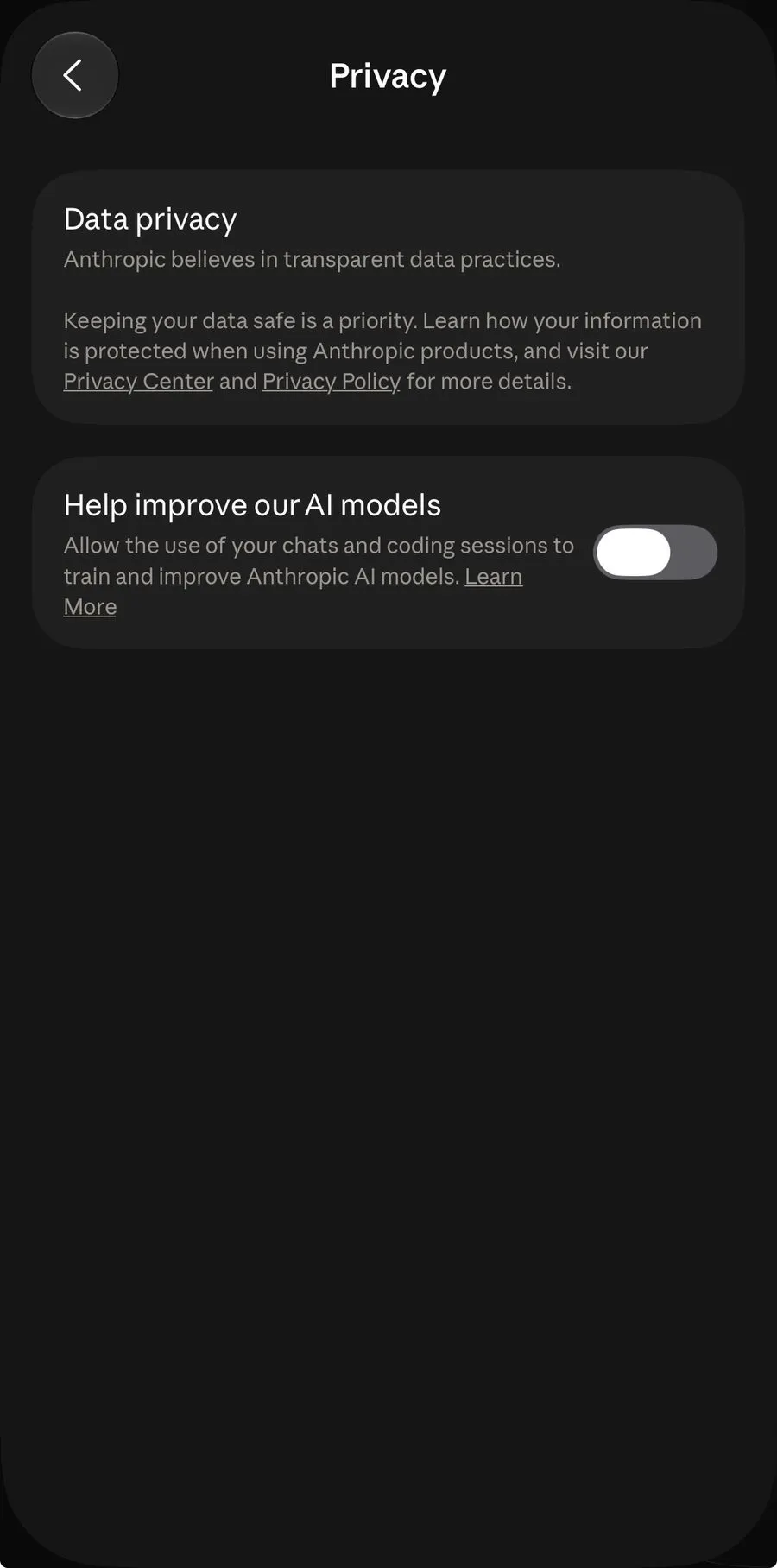
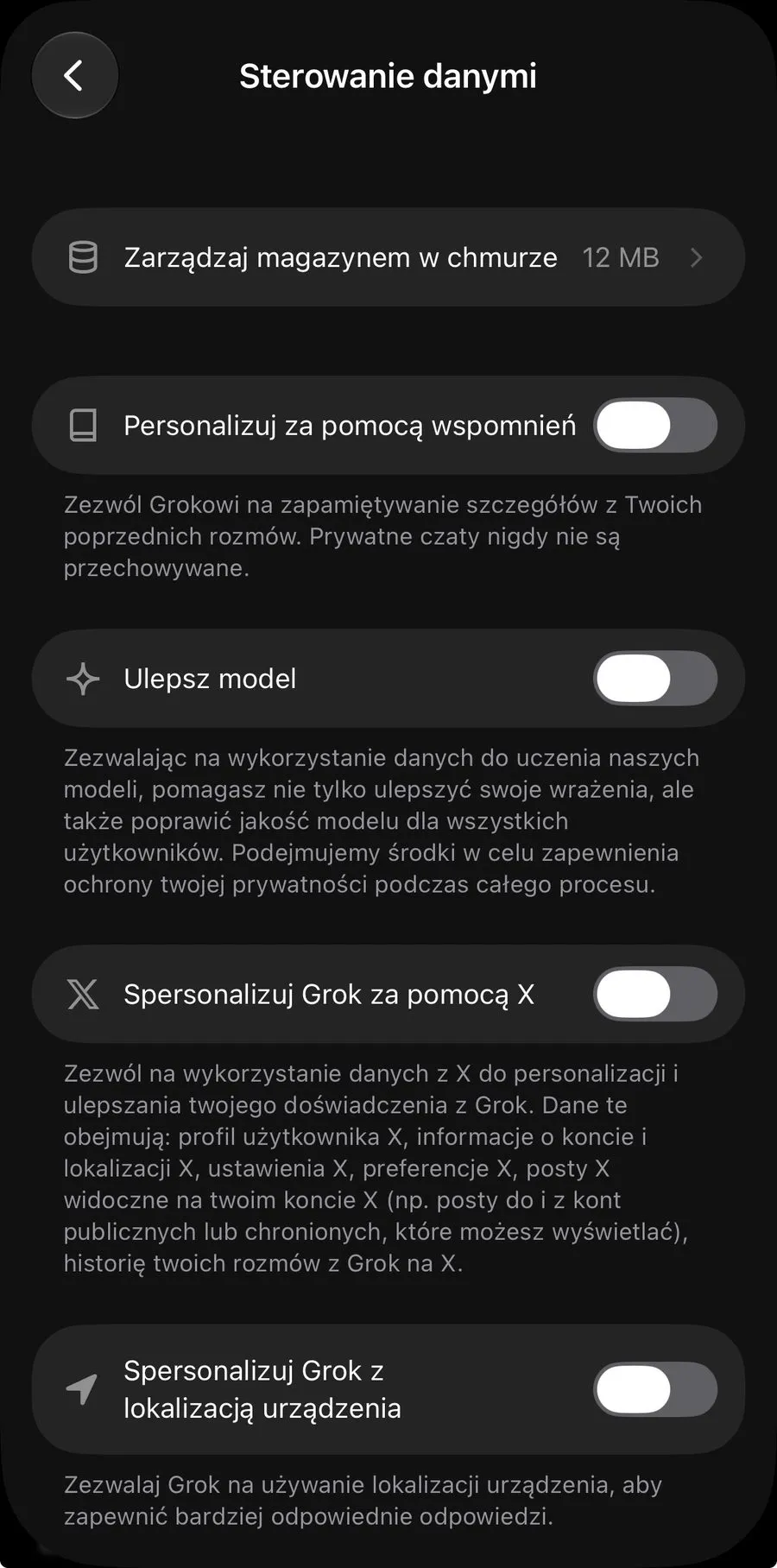
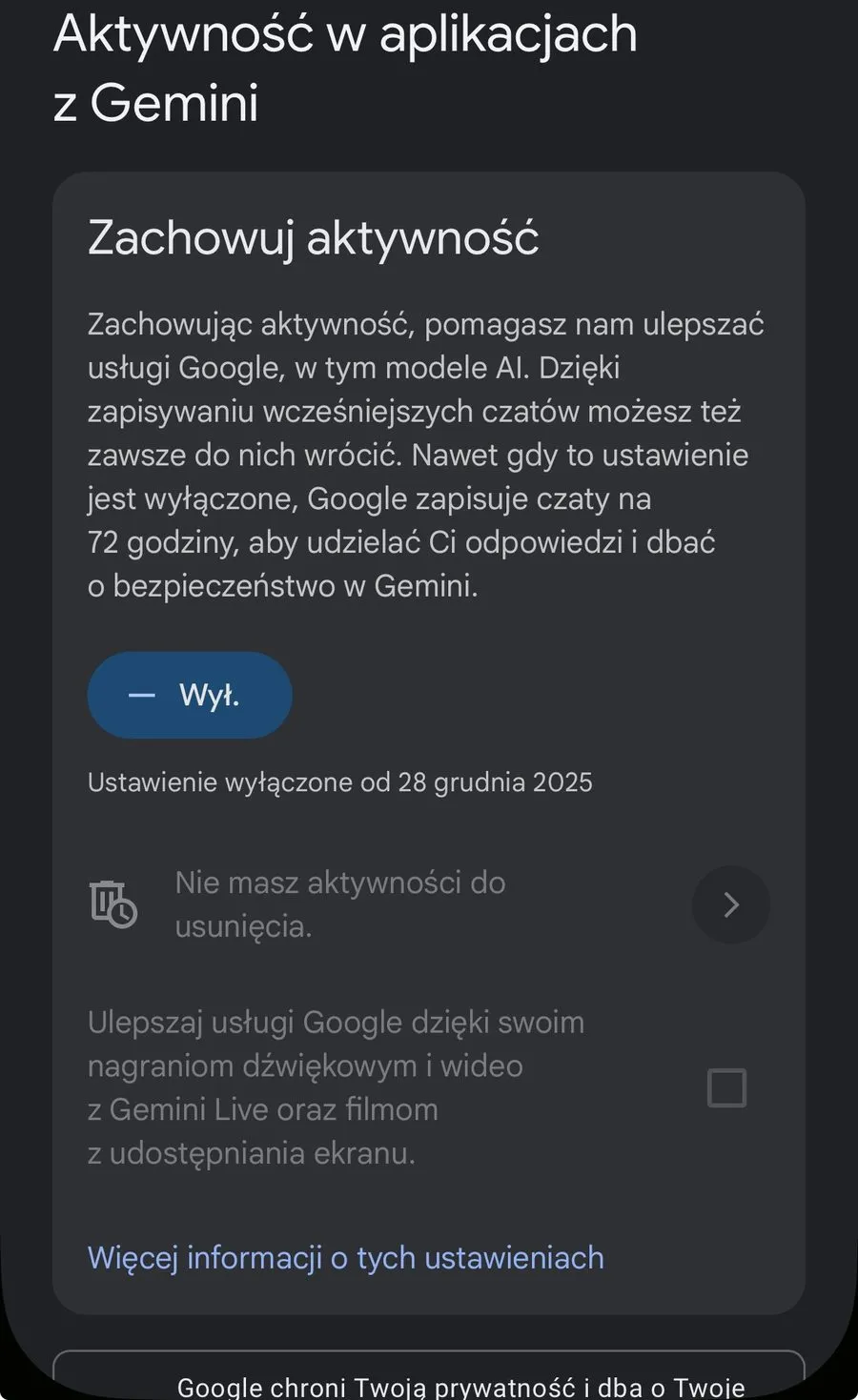
What can we do today? If you use free AI tools, turn off model training for yourself, or for someone you know.
Here is an example of what this looks like in ChatGPT, Claude, Grok and Gemini.
Either way, it is safer to assume our data can end up somewhere else.
If you want more peace of mind, consider switching to a Business plan or using a local alternative.
Save this for later and check how the settings look in the apps you use.
New posts also go out over RSS — no email address needed. Subscribe via RSS